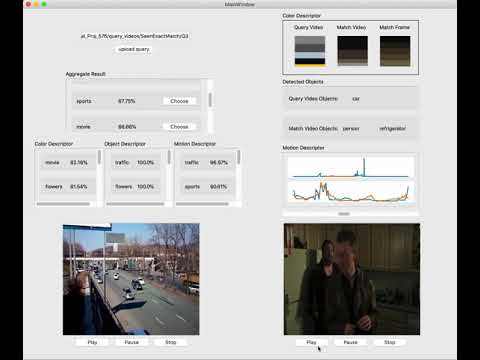
You can take a look at Jupyter notebooks in /jupyter_notebooks which contains color matching part and object matching part. They were wrote solely by me and the software is basically putting them together as a program with user interface. I also wrote comprehensive documentation/comments in those notebooks so you should have no problem understanding what I'm doing.
First, you should store a video database with jpg format and add that directory into config.json.
The directory within database_videos should be like
.
├── flowers
├── interview
├── movie
├── musicvideo
├── sports
├── starcraft
└── traffic
Each of the directory should include an audio file, and a list of images format with FILENAME + FRAME_NUMBER.jpg
For convenience, query video should be organized in a similar way, but it's also compatible with rgb files.
You need to add the directory of resource videos into config.json.
Links to download database/query videos:
Database
Another important configuration is the resource directory path. Since we will use yolo to detect objects, it's important to put an object detection model traning network under resource/object_detection_model.
Link to download object detection model (Side note: yolov3 works better)
main.py is the entry point for the program. It would take a while to load all database images and a tensorflow trained network. After finish loading, you can upload the query video directory to compare and search for match videos.